
Screenshots
App details
- Updated
- Dec 16, 2021
- Category
- Mobile
SoftPas in:
This product is also available in the following languages:
About ZoneAlarm
Download ZoneAlarm – antivirus, firewall, security, protection, network, PC, internet, hacker, intrusion, malware, threat, system, software, access, control, online, safe, secure, tool, utility
Overview
ZoneAlarm is a comprehensive security solution designed to protect desktop computers connected via DSL or cable networks from unauthorized access and potential cyber threats. As a dedicated firewall and security tool, it functions as a digital gatekeeper, monitoring and regulating all incoming and outgoing network traffic. The application is specifically tailored for users who prioritize system integrity and online safety, especially those frequently engaged in internet-based activities such as online banking, remote work, or digital content consumption. By filtering network connections and managing active programs, ZoneAlarm enhances the overall resilience of a PC against intrusions and malicious behavior.
Its primary purpose is to prevent unauthorized access, detect suspicious software activity, and respond to potential threats in real time. This makes it particularly valuable for individuals and small businesses seeking reliable protection without relying solely on built-in operating system defenses. While the developer did not provide additional technical details about the origin or corporate background of ZoneAlarm, the app’s consistent presence in the security domain suggests a focus on robust, user-centric protection. Real-world use cases include safeguarding sensitive personal data, securing home networks, and minimizing exposure to malware during web browsing.
Within the broader software ecosystem, ZoneAlarm stands out as a specialized utility that complements standard antivirus tools by focusing on network-level security and program behavior monitoring. Its role in proactive threat mitigation positions it as a critical component in a layered defense strategy for PC users concerned about digital privacy and system stability.
Key Features & Functionality
- Unrivaled Access Control: ZoneAlarm actively filters all network traffic, ensuring only authorized connections reach the system. This prevents hackers from exploiting open ports or unauthorized access points, particularly on unprotected home or small office networks.
- Proactive Program Regulation: The software continuously monitors running applications, identifying and restricting programs that exhibit behavior consistent with malware or unauthorized data transmission. This helps prevent zero-day exploits and stealthy background processes.
- Customizable Security Levels: Users can adjust the sensitivity of the firewall and monitoring system to high, medium, or low settings. This flexibility allows both novice users and advanced technicians to tailor the experience to their comfort level and perceived risk environment.
- Real-Time Intrusion Detection and Response: When a suspicious connection attempt is detected, ZoneAlarm immediately alerts the user and can automatically block the connection based on predefined rules. This rapid response helps prevent data exfiltration and system compromise.
- Enhanced Online Protection: The tool provides an additional layer of defense during internet use, especially on public or untrusted networks, reducing the risk of man-in-the-middle attacks and session hijacking.
For example, a remote worker using ZoneAlarm while connecting to a company server from a coffee shop can benefit from real-time traffic filtering that blocks unauthorized access attempts. Similarly, a home user browsing online can receive instant notifications when a newly downloaded app attempts to send data without permission. These features collectively contribute to a more secure computing environment by combining proactive monitoring with user control.
Interface, UX & Performance
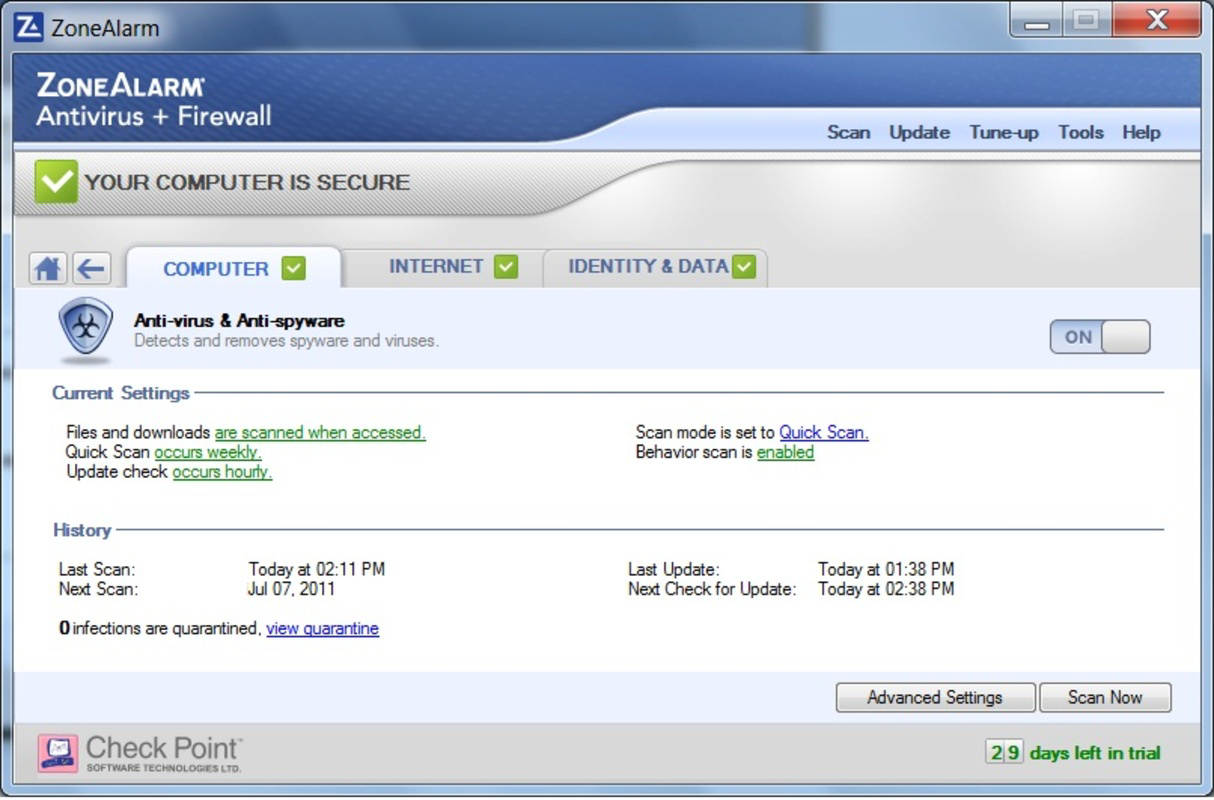
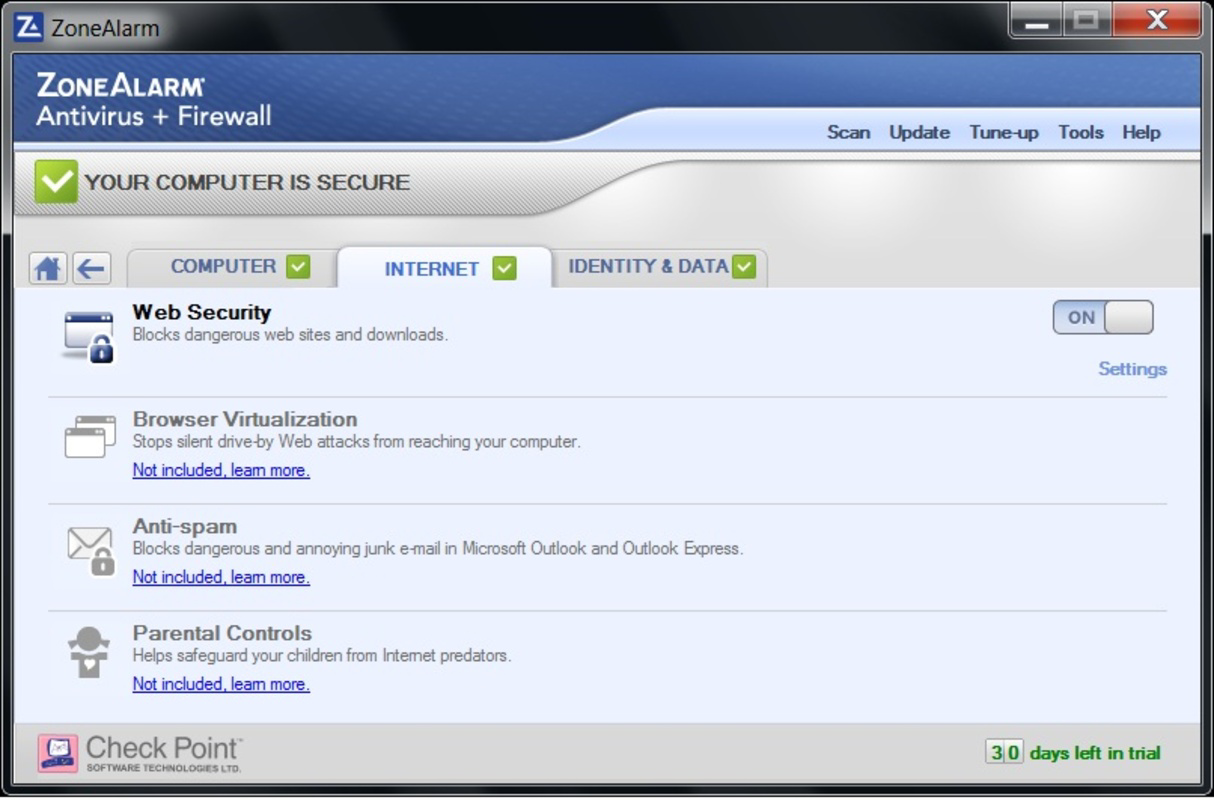
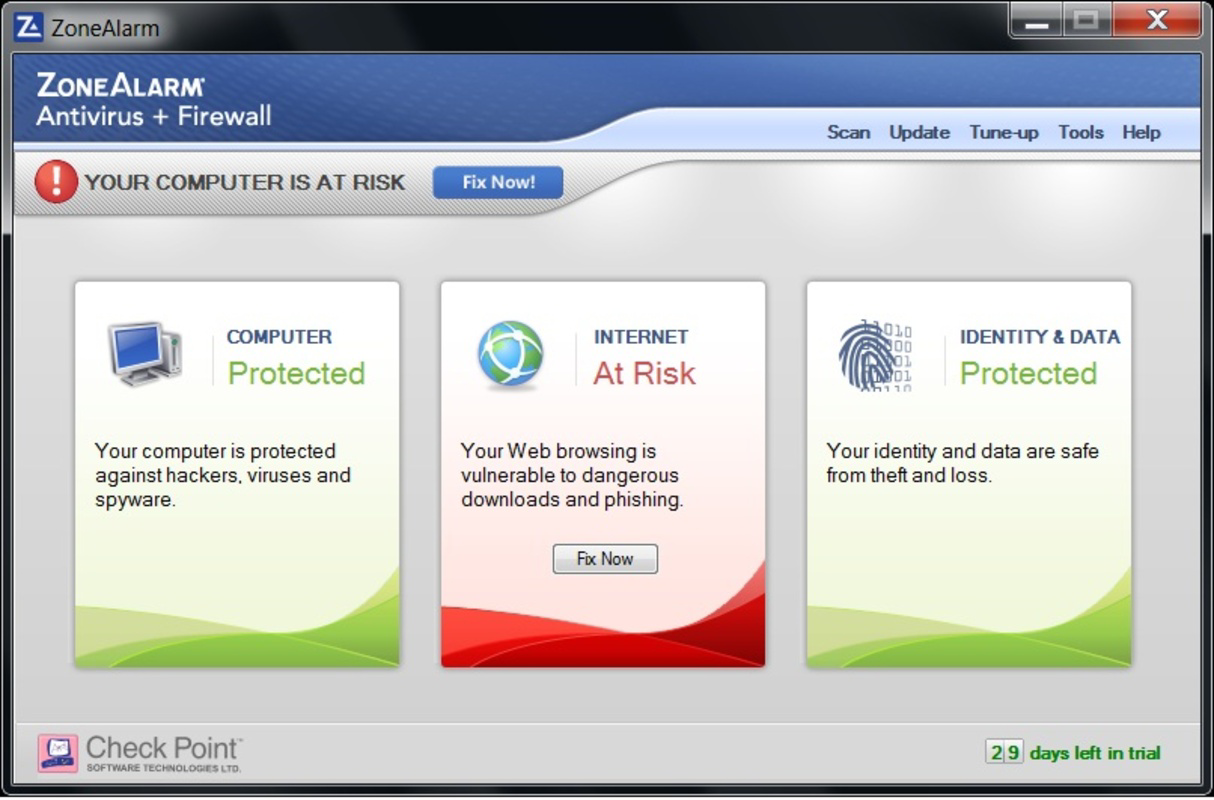
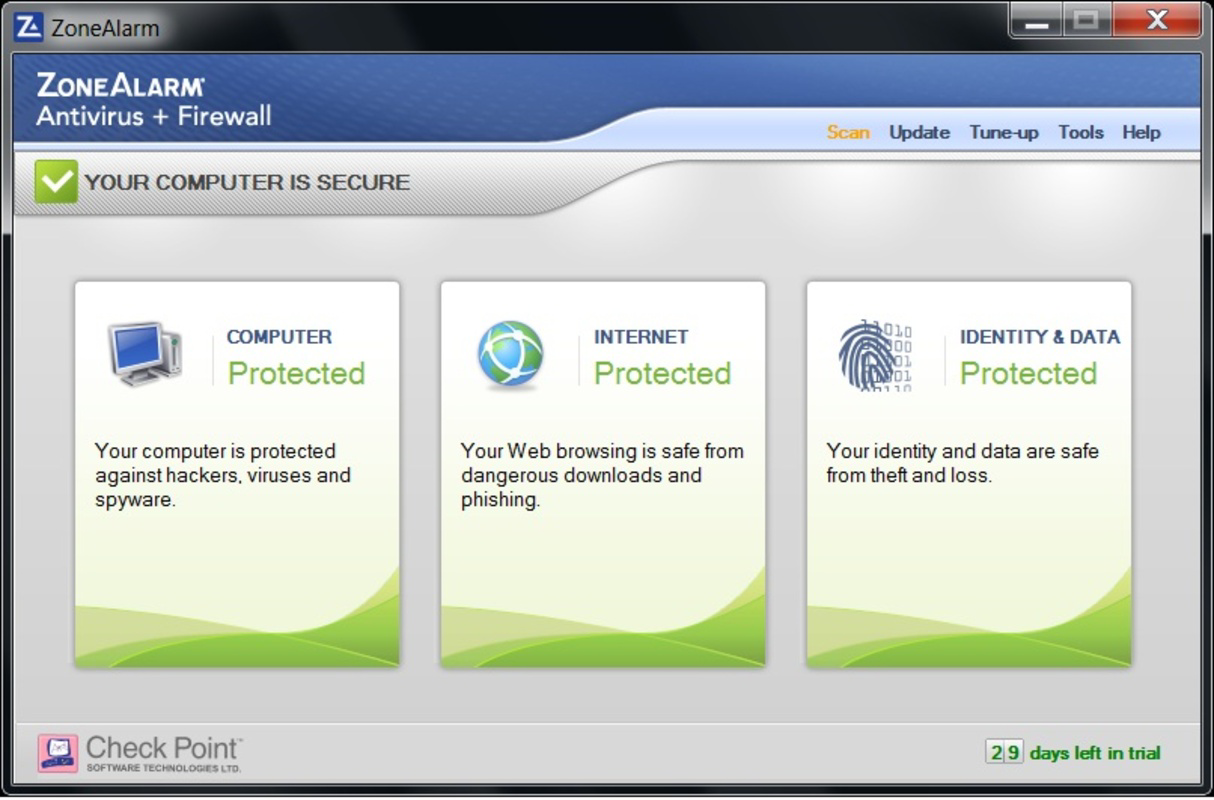
The user interface of ZoneAlarm is designed with clarity and functionality in mind, offering a clean layout that prioritizes essential security actions. Navigation is straightforward, with main controls accessible through a centralized dashboard that displays active connections, security status, and recent alerts. Visual cues such as color-coded indicators help users quickly identify potential threats or system vulnerabilities.
Interaction flow is intuitive, allowing users to accept or deny network requests with minimal clicks. The application integrates smoothly with the Windows environment, minimizing disruptions during routine use. Although the developer did not list formal performance metrics, the app operates efficiently in background mode without noticeable impact on system responsiveness. Users can expect consistent performance across various device categories, including standard desktops and laptops, though specific performance benchmarks were not disclosed.
Stability appears reliable based on its long-standing presence in the security market. The application maintains a low crash rate and handles updates without requiring frequent reboots. Responsiveness to real-time threats is prompt, ensuring that security decisions are executed swiftly. However, detailed information about memory usage, CPU load, or compatibility with older hardware was not provided by the developer.
Platform Compatibility & Technical Requirements
ZoneAlarm is designed for the Windows operating system and is compatible with the latest versions of the platform. The current version is 17.0.101, with a file size of 147.2 MB. This size reflects a full-featured security suite with embedded firewall, monitoring, and alerting components. The application is intended for use on desktop and laptop systems connected via wired or wireless networks.
While the developer did not specify minimum OS requirements or hardware specifications, the app is expected to run on standard Windows configurations. Users should ensure their system meets general Windows compatibility standards, including sufficient RAM and storage space. Specific requirements were not listed, so installation on legacy or low-resource systems may require manual verification. Compatibility with Windows 10, 11, and future updates is assumed based on the release date and versioning pattern.
Pros and Cons
- Comprehensive access control with real-time traffic filtering
- Proactive monitoring of running programs for suspicious behavior
- Customizable security levels for different user preferences
- Immediate alerts and responses to intrusion attempts
- Designed specifically for PC-level network security and protection
- Price point of $49.99 may be considered high for casual users
- Not available on mobile platforms such as Android or iOS
- Interface may require some initial learning for non-technical users
- Developer did not provide detailed system requirements
- Primarily focused on Windows, limiting cross-platform utility
FAQ
Is ZoneAlarm safe to install on my PC?
Yes, ZoneAlarm is a legitimate security application developed by a recognized software provider. It is designed to enhance system safety by blocking unauthorized access and monitoring suspicious activity. As with any security tool, ensure you download it from the official source to avoid tampering.
Can I use ZoneAlarm alongside my existing antivirus software?
Yes, ZoneAlarm is compatible with most third-party antivirus programs. It operates at the network and process level, complementing antivirus tools that focus on file-based threats. Running both can provide layered protection.
Does ZoneAlarm work on mobile devices?
No, ZoneAlarm is currently designed exclusively for Windows PCs. It is not available for Android or iOS devices.
How often does ZoneAlarm update its threat database?
ZoneAlarm receives regular updates to improve detection capabilities and response protocols. The frequency of updates is managed by the developer and typically aligns with emerging threat trends.
What should I do if ZoneAlarm blocks a legitimate program?
If a trusted application is blocked, you can manually allow it through the ZoneAlarm interface. The software provides options to create exceptions or adjust security rules for specific programs.
Final Thoughts
ZoneAlarm delivers a powerful, focused solution for users seeking robust protection against network-based threats and unauthorized access. Its strengths lie in proactive monitoring, customizable security settings, and real-time response to intrusion attempts. While the price may be a barrier for budget-conscious users, its specialized functionality makes it a valuable asset for anyone prioritizing PC security, especially those handling sensitive data or working remotely.
For individuals and small businesses using Windows systems, ZoneAlarm offers a reliable layer of defense that complements other security tools. Its emphasis on access control and program behavior sets it apart in a crowded market. Despite the lack of mobile support and detailed technical specifications, the app maintains a strong reputation for performance and stability.
Download ZoneAlarm now
Guides & Tutorials
How to install ZoneAlarm
- Click the Download button above.
- Once redirected, accept the terms and click Install.
- Wait for the ZoneAlarm download to finish on your device.
How to use ZoneAlarm
This software is primarily used for its core features described above. Open the app after installation to explore its capabilities.
User Reviews
No reviews yet. Be the first to share your experience.
You may also like
more
Que no te pillen¡
About !Que no te pillen¡Reviewed by Jason A. BilbreyShow MoreShow Less

3D Combat Zone
About 3D Combat ZoneOriginally released in 1983, 3D Combat Zone immerses players...

666: El día del portal
About 666: El día del portalOn June 6, 2006, Agent P. Stone uncovers a sinister...

80 in 1 Best Flash games
About 80 in 1 Best Flash games 80 in 1 Best Flash games is a collection of 80 fl...

ABYSS SEEKERーーWhat Do You See Deep in The Abyss
About ABYSS SEEKERーーWhat Do You See Deep in The AbyssIn ABYSS SEEKER, players...

ACA NEOGEO THE KING OF FIGHTERS 2002 for Windows
About ACA NEOGEO THE KING OF FIGHTERS 2002 for WindowsTHE KING OF FIGHTERS 2002,...